
Operation tracking
Create a request, pick products, collect offers, set prices, deliver and invoice. Every operation moves through clear stages.
Triple Ship Supply brings purchase offers, sale offers, deliveries, documents and invoices into one web portal, so suppliers and shipowners can stop chasing spreadsheets and email threads.
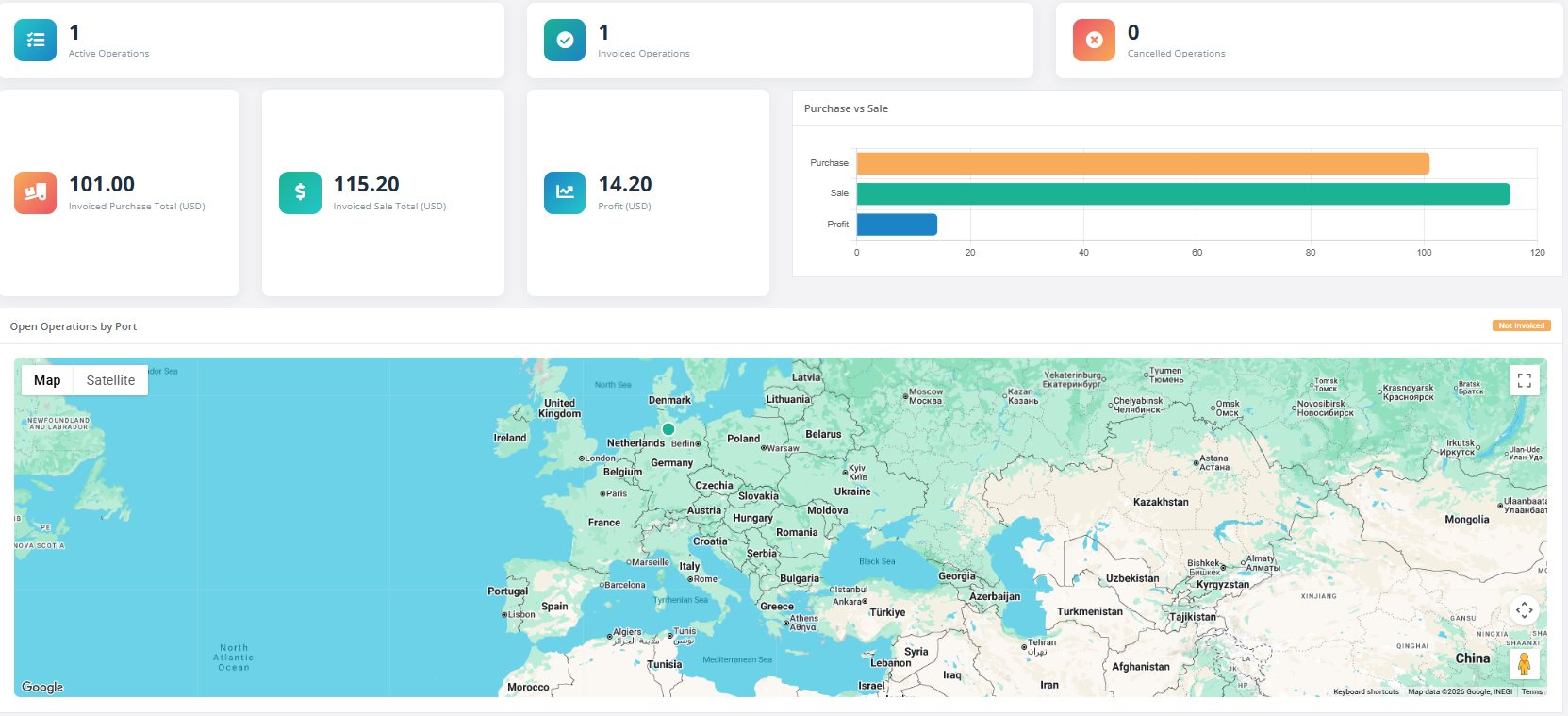
From the first request to the final invoice, each step has its own place and nothing gets lost along the way.
Create a request, pick products, collect offers, set prices, deliver and invoice. Every operation moves through clear stages.
Send suppliers a secure link where they enter prices and quantities themselves. No accounts or logins for them.
Import offers, sale prices and deliveries from Excel templates, and export your lists and commercial invoices.
Send requests and receive replies inside the portal, and keep every mail next to the operation it belongs to.
See purchase versus sale, profit, and breakdowns by product, vessel, supplier, port and country.
Keep your own product lists with categories and units, and reuse them across every new request.
Enter soundings or ullages with trim, heel, temperature and density. Volume, weight and fill percentage are calculated from your own tank tables, for fuel, diesel, lub oil and bilge tanks.
Follow your vessels on a map with current positions and route history, based on AIS signals.
Keep documents together with each operation and get in-app notifications for new mail.
A simple flow that follows how ship supply is actually done.
Register the vessel, port, ETA and the items the ship needs.
Send the request to suppliers by mail, Excel or a secure web link.
Collect the offers in one table and select the best price per item.
Set your sale prices and send the offer to the shipowner.
Record the delivery, attach documents and create the commercial invoice.
Real screens from the portal.
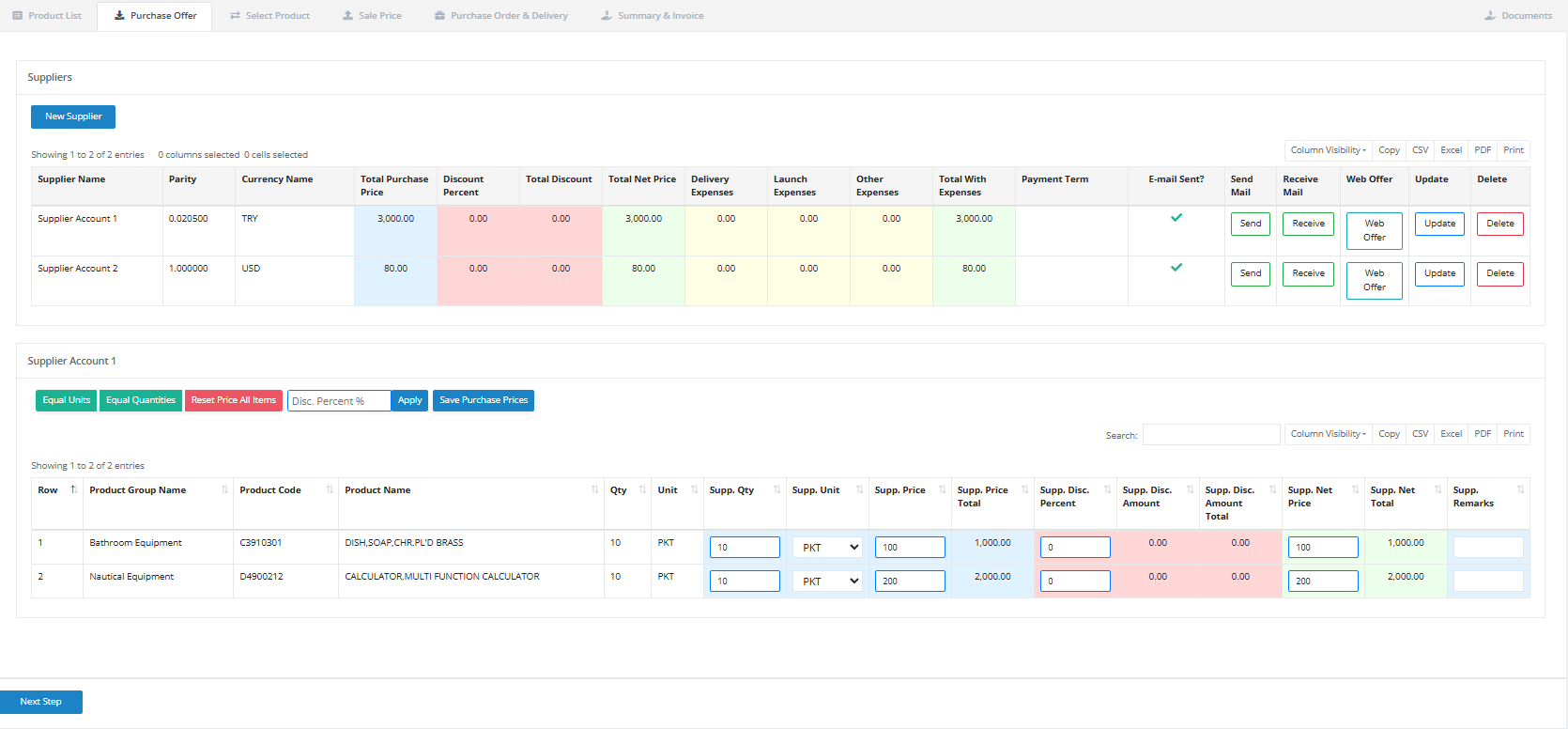
See every supplier's prices, discounts, expenses and payment terms in one table. Apply discounts to all items at once and send or receive offers with a single click.
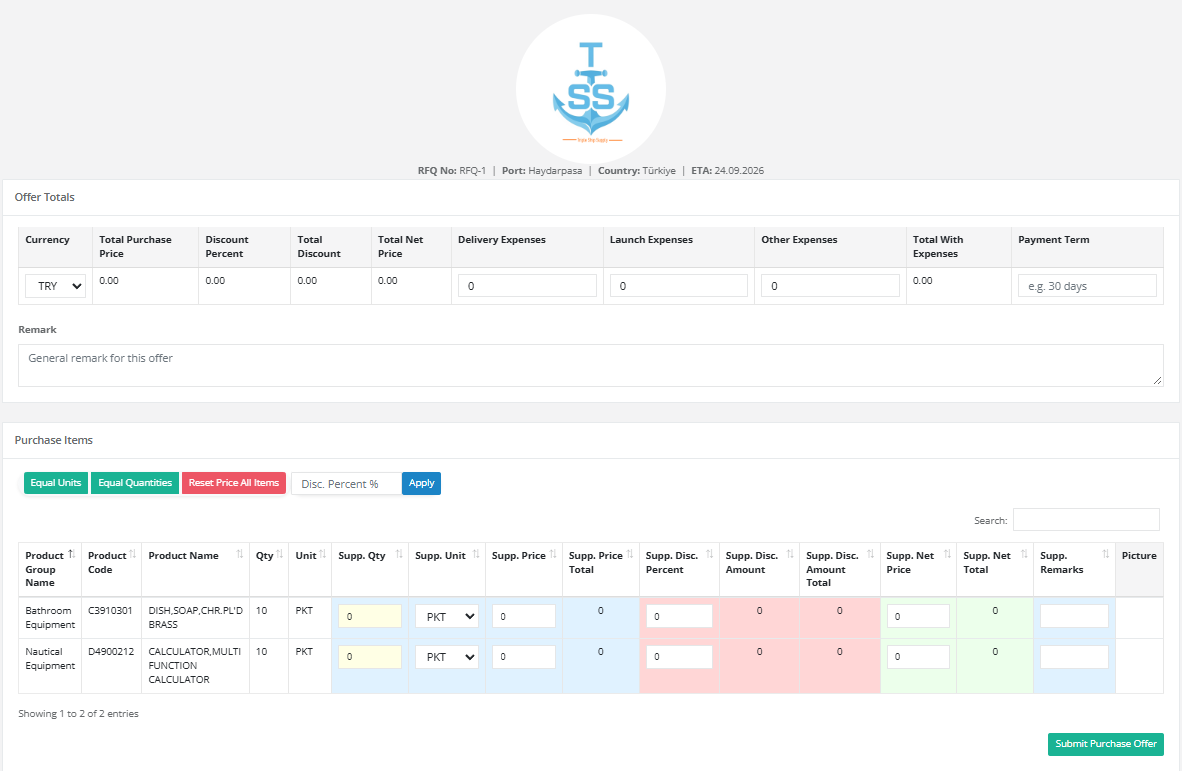
Your supplier opens the link, fills in prices, units and remarks, and submits. The offer lands in your operation automatically.
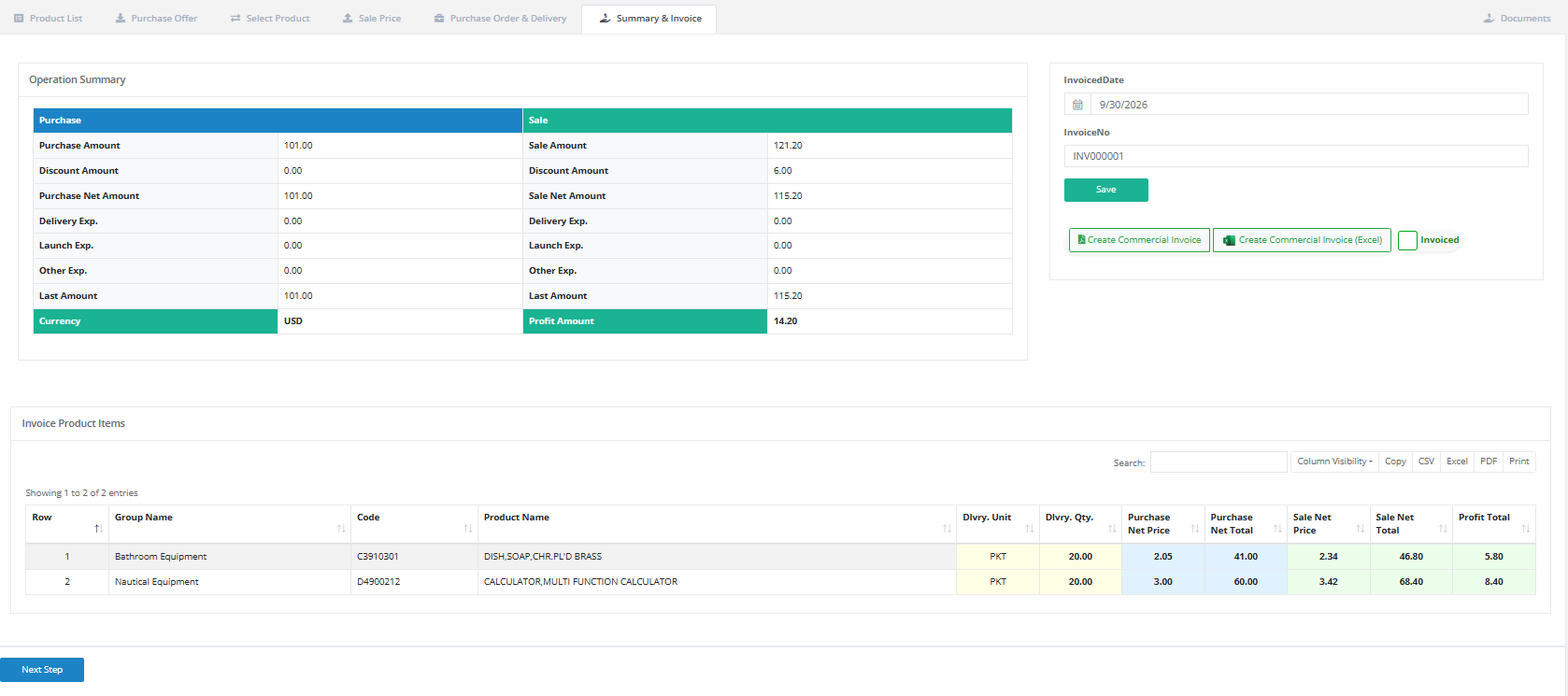
The summary shows purchase and sale side by side with expenses and profit per item, and creates the commercial invoice as PDF or Excel.
Filter by date and see what you bought, what you sold and what you earned, by product, vessel, supplier or port.
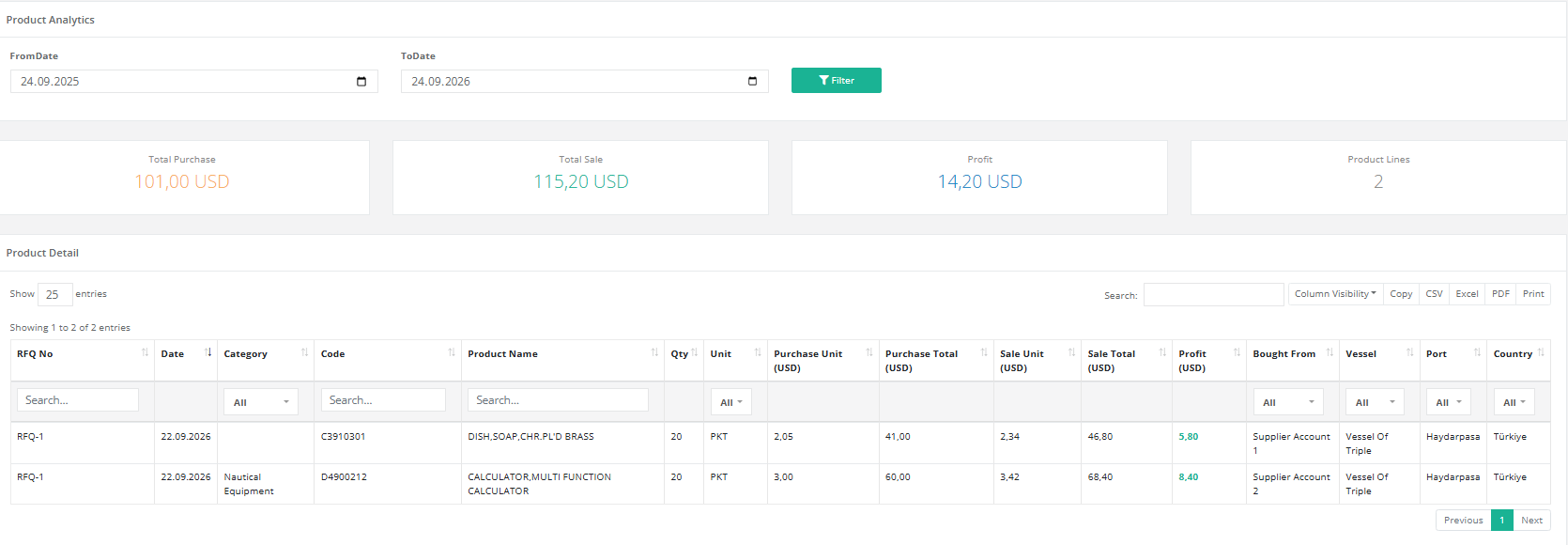
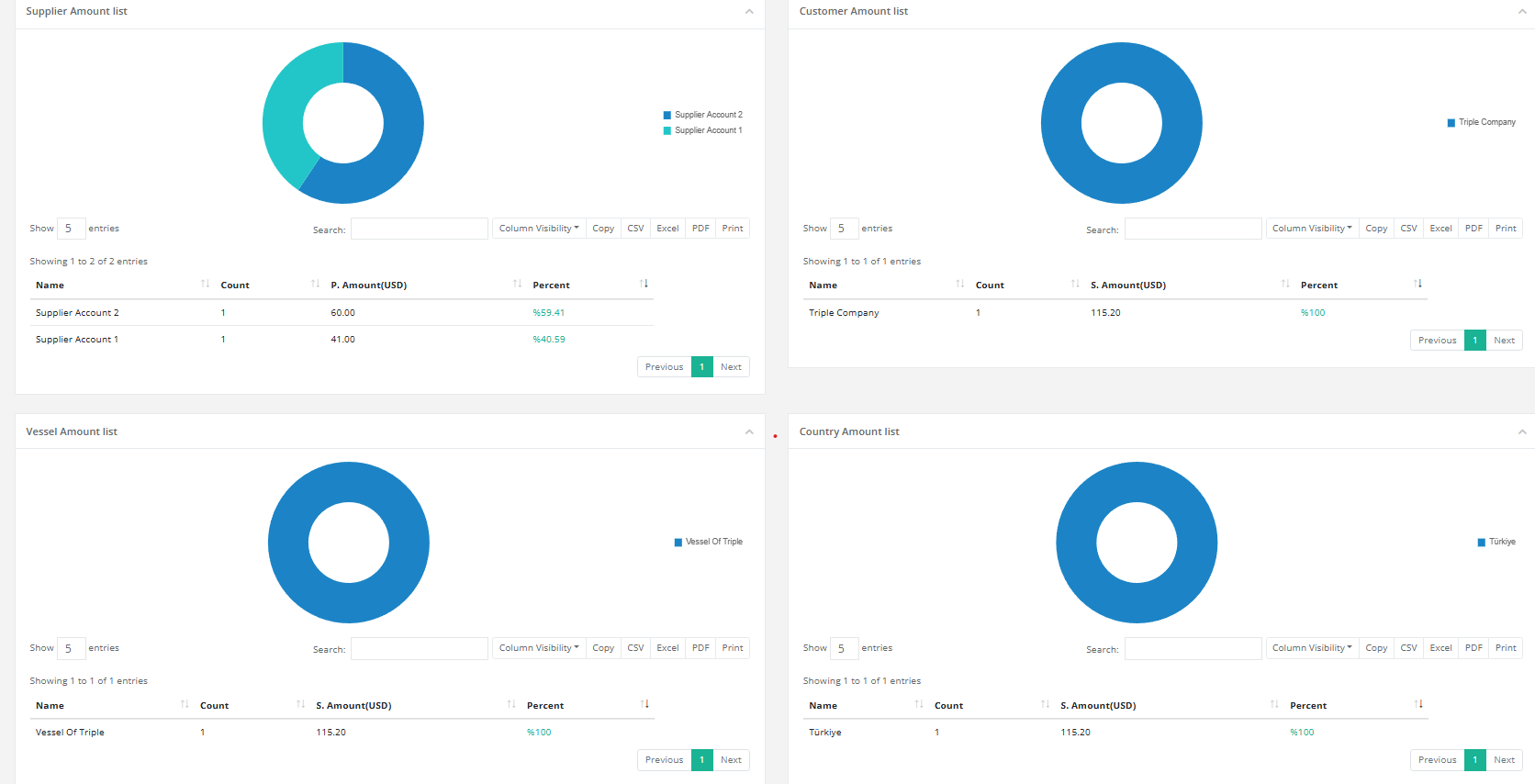
Dashboard charts show your business by supplier, customer, vessel and country.
Add the 9-digit MMSI to a vessel and follow it on a live map. See the whole fleet at a glance, or open one ship and replay its route.
Positions come from AIS signals, so coverage depends on where the ship can be received.
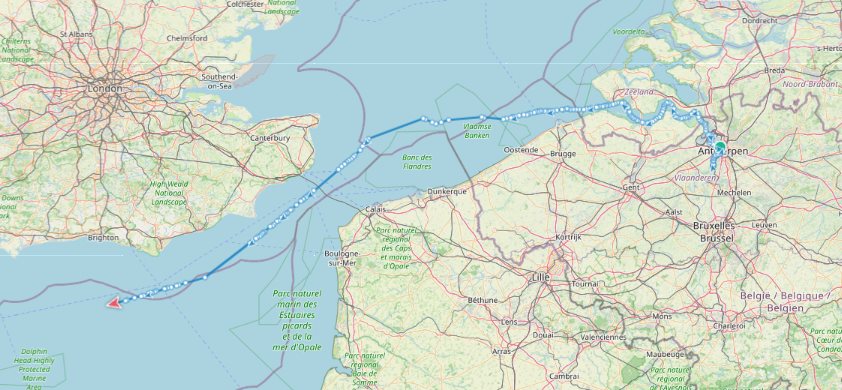
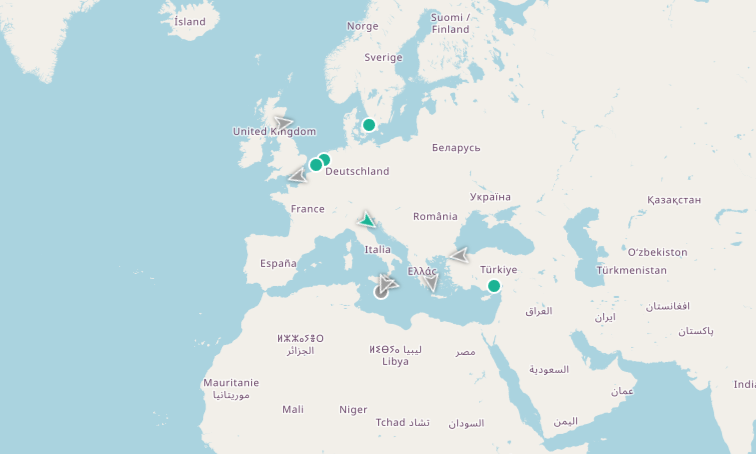
Map data © OpenStreetMap contributors
Receive requests, answer quickly with your prices, keep your product list ready and invoice without retyping data.
Request quotes from several suppliers, compare them fairly, track deliveries per vessel, follow your ships on the map, keep tank sounding reports of your vessels and see your spending by port.
Creating an account takes a minute and the software is free.